
Ness Grixti
·
·
4 min read
Includes a free template for gathering feedback
Design Systems
Design systems can be an incredibly powerful tool. When done right, they can reduce production time and allow teams to focus on real problems instead of reinventing the wheel.
But what happens when our design systems stop working for the users they serve? More often than not, you’ll find teams spending more time redesigning, customising and complaining, therefore negating any benefits your design system offered in the first place.
Furthermore, problems will often present themselves on a surface level, if teams are complaining your support processes are lacking, you think, right, we need to establish better channels and rituals. Instead, if you had asked, ‘Why are teams desperate for support in the first place?’ you might have uncovered a very different problem.
(Good) Products prioritise their users above all else, they gather data, conduct user interviews, and continue to iterate to increase conversion and retention. Our design systems should be no different.
Understanding your user’s current experience with the design system in their existing product process is the key to discovering what your actual problems are. By auditing across disciplines (your different types of user personas), you’ll get a clear indication of where you can improve your user experience.
Auditing your existing experience is a simple 3 step process: gather, review and prioritise. Just be ready to talk to people and accept some hard truths.
Select 3–6 people from each discipline who use your system. These might include designers, developers and product managers.
Ask them to think about their current process (or specific process you’re testing), focusing on where they’re currently using or not using your system. Get them to list out each step and touchpoint of that experience. Encourage them to be as honest as possible. The goal is to understand where you can improve the experience for them.
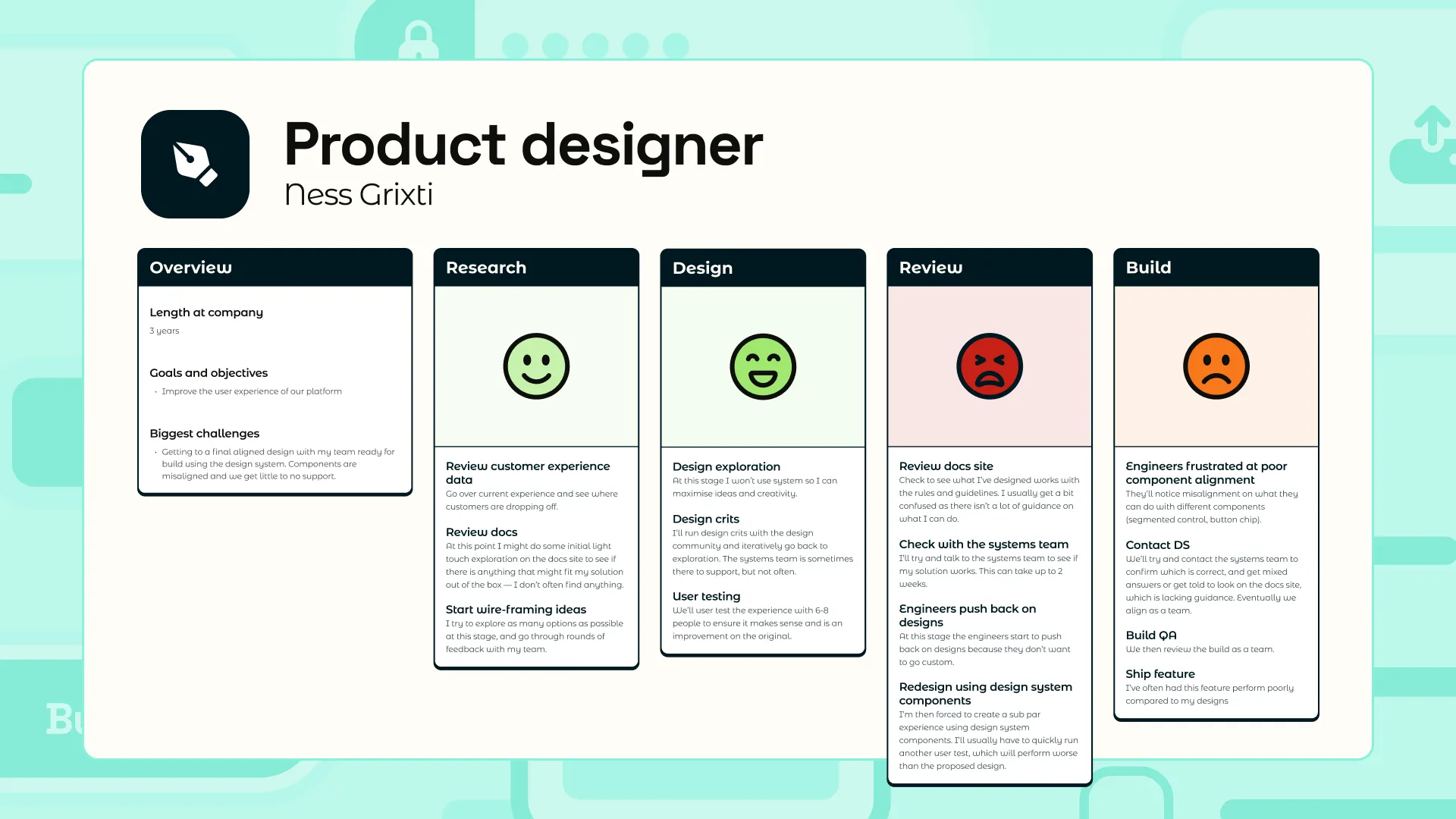
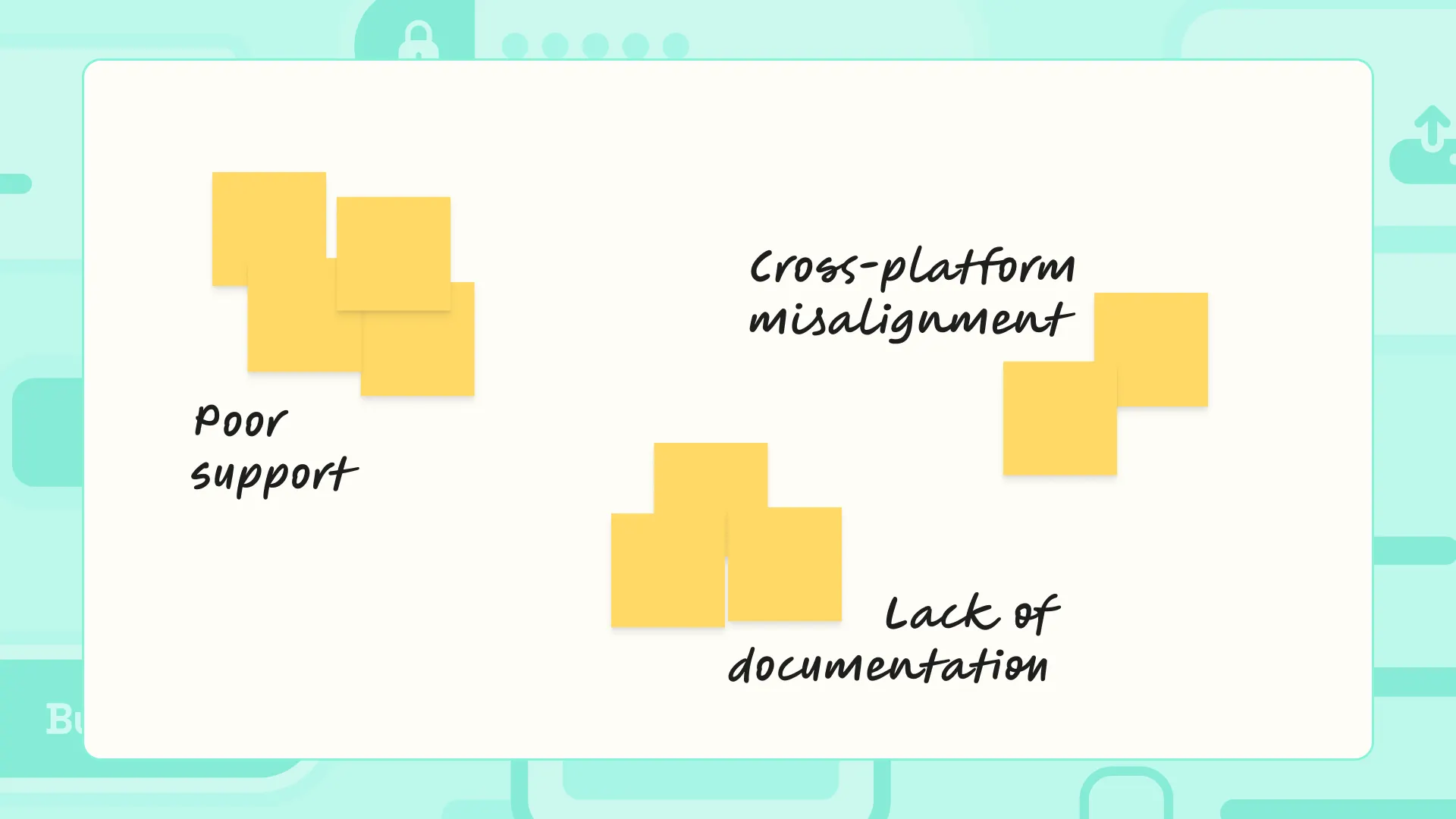
Go through all of the filled-in journey maps and start taking notes on individual post-its on systems-related issues. Be sure to be objective and not selective of what you add.
Pull your notes into your findings section and start grouping them by theme.
You’ll start to get a solid heat map of key problem areas.
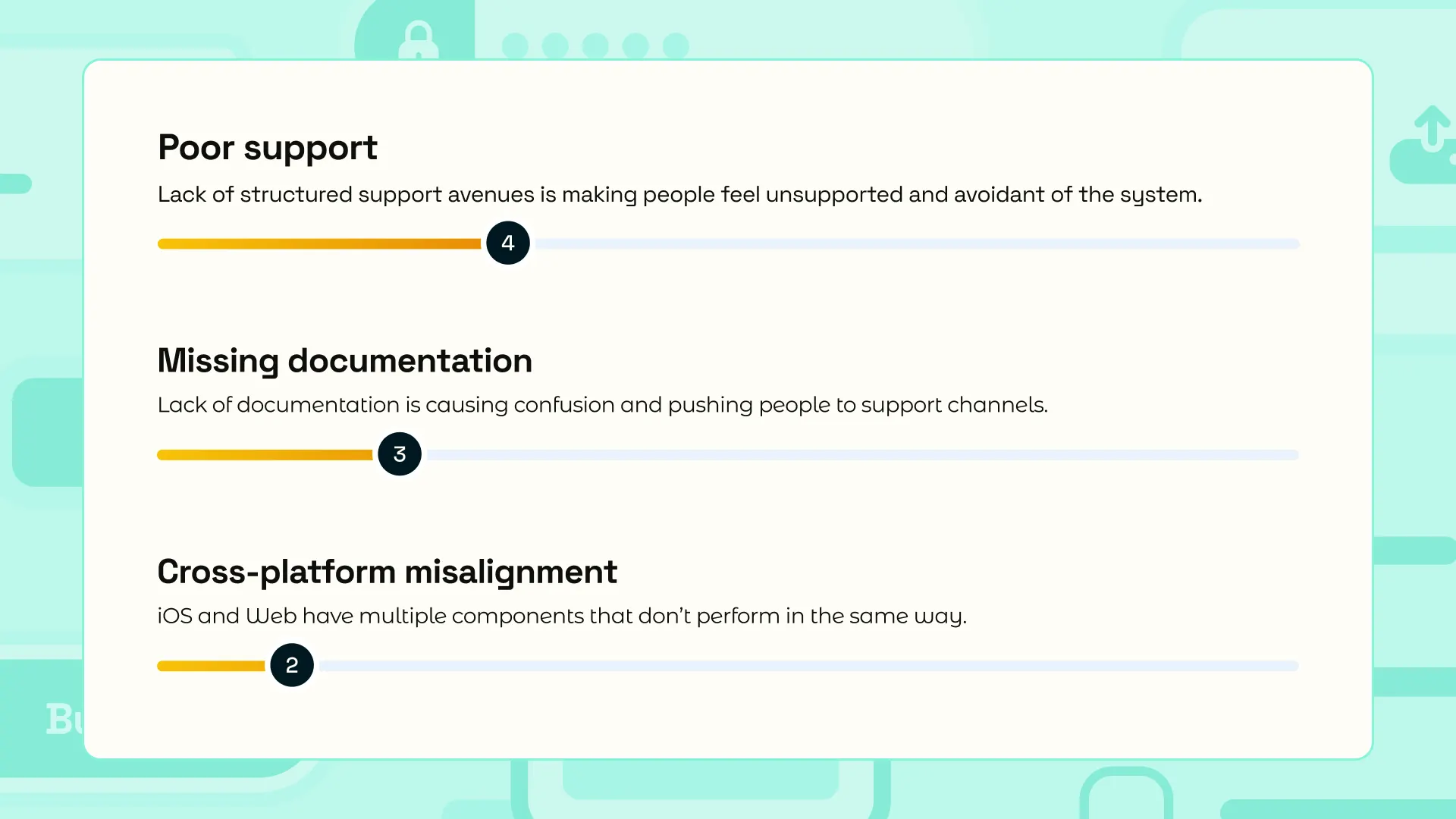
Take each theme from step 2 and give it a title and a blurb. You can then prioritise these based on how many people (or post-its) you have.
From here, you’ll likely see patterns and possibly even connections between issues. For example, a lack of support might lead to custom components.
Review all of your key issues and see how they’re all coming together to show you the bigger picture; yeah, at times, your problems might be a bit random, but are things related?
By telling a story, you can bring others on the journey and help you prioritise the work and get your problems solved.
Start to unpack your themes in priority order with your team and explore solutions for each. Remember, some potential solutions may cover many different problems, winner.
You can run this every 6–12 months to keep your system in check.
You heard that right, I’ve created a free Design System usage and improvement audit template in FigJam for you to do this exercise yourself!
Happy learning 🎉