Humelodica
How do you get the tune in someone's head out, without asking them to learn an instrument? Humelodica is an iPhone app that turns a hummed tune into a finished song. You hum, it finds your notes, and a composer builds a song around them in the genre you pick. It's on the App Store now.
I designed and built it on my own over five months, using AI to help write the code. The app itself never uses AI to make music. Every song is built from your own notes, following musical rules.
The Challenge
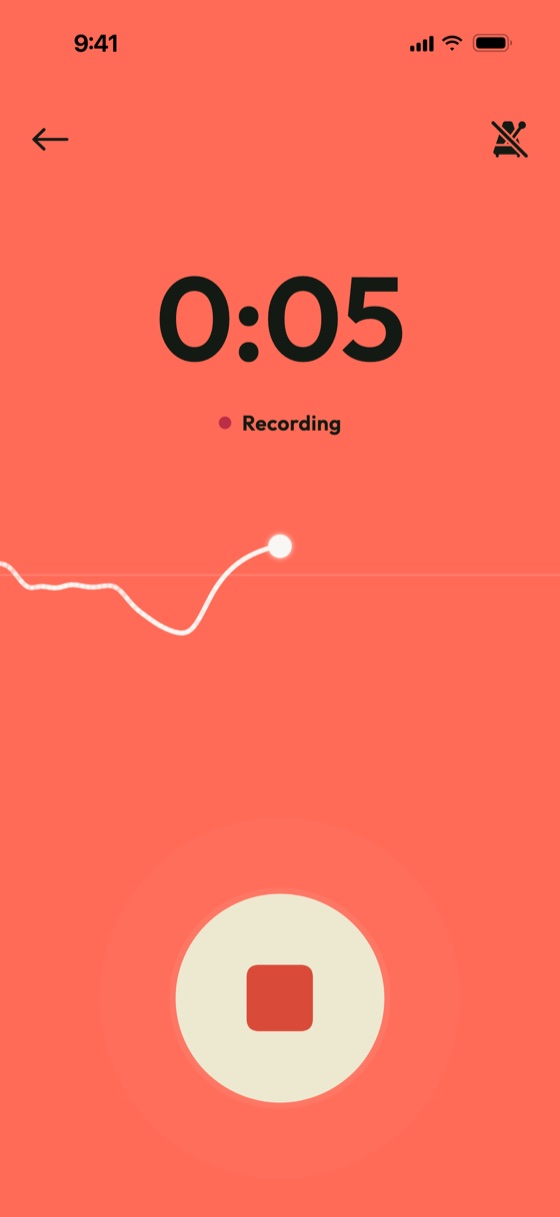
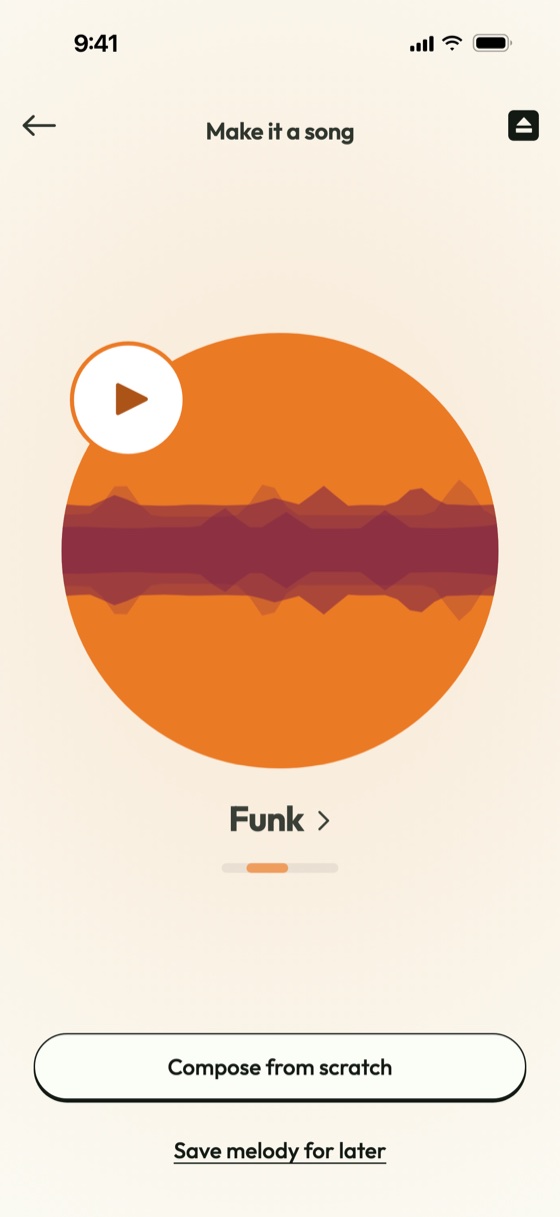
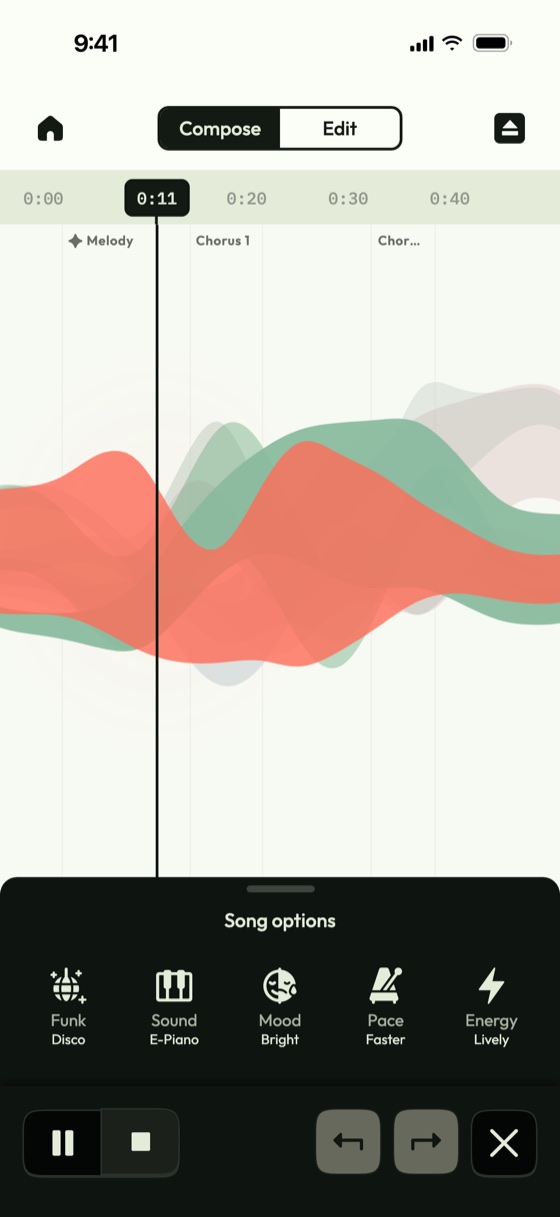
Not knowing where to start
I grew up musical, but always struggled to focus on practising. I'd have a tune in my head and no idea how to make it into music, or even where to start.
So I built something for people like me. It grows nothing more than the idea in your head into a good song with little effort, without a prompt dictating it.
How it evolved
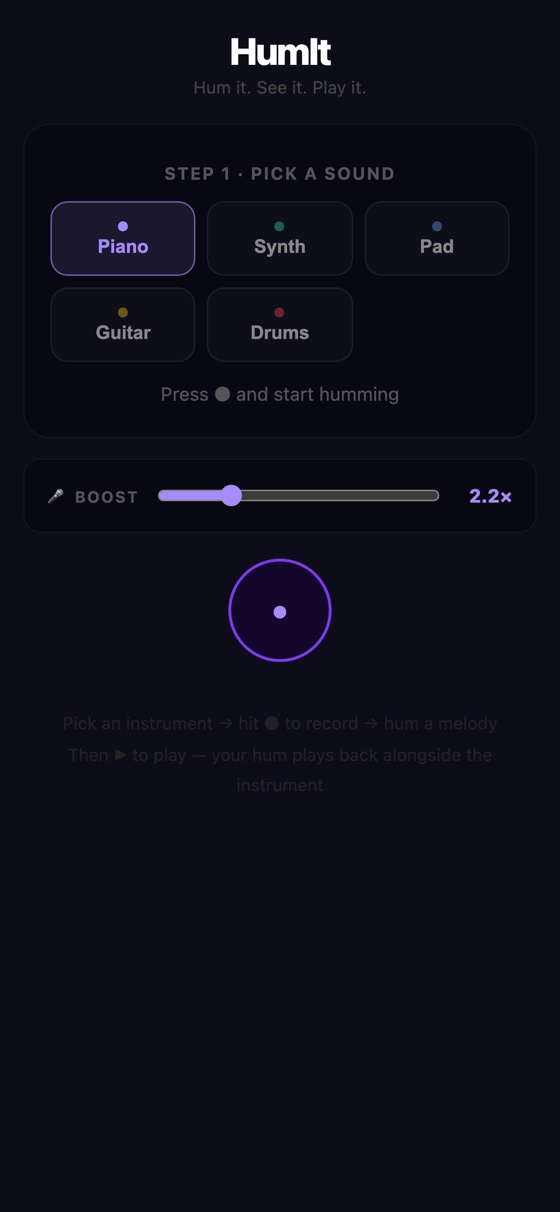
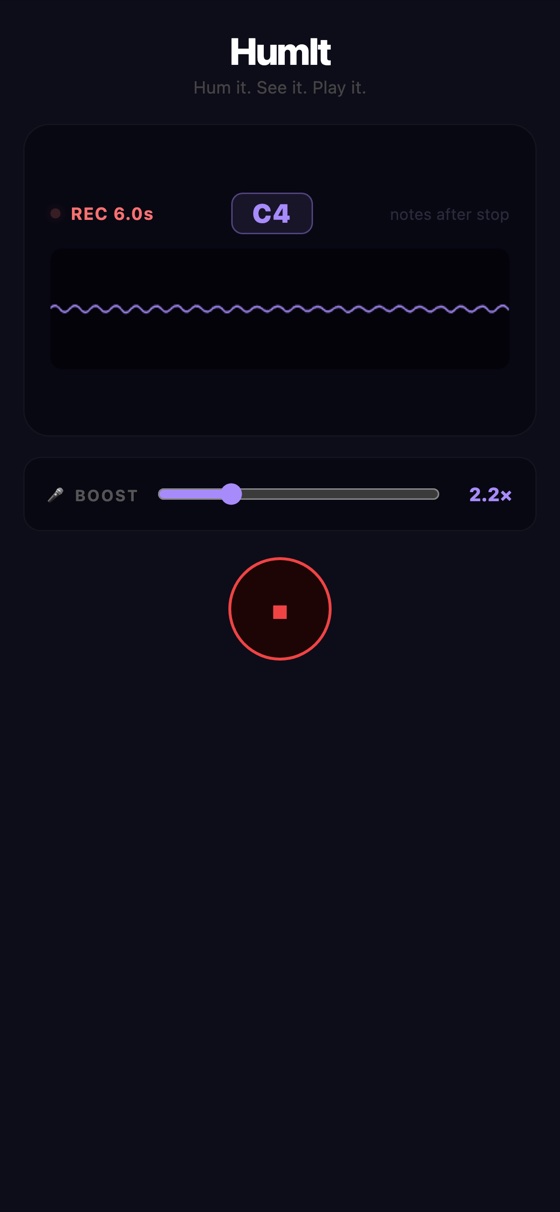
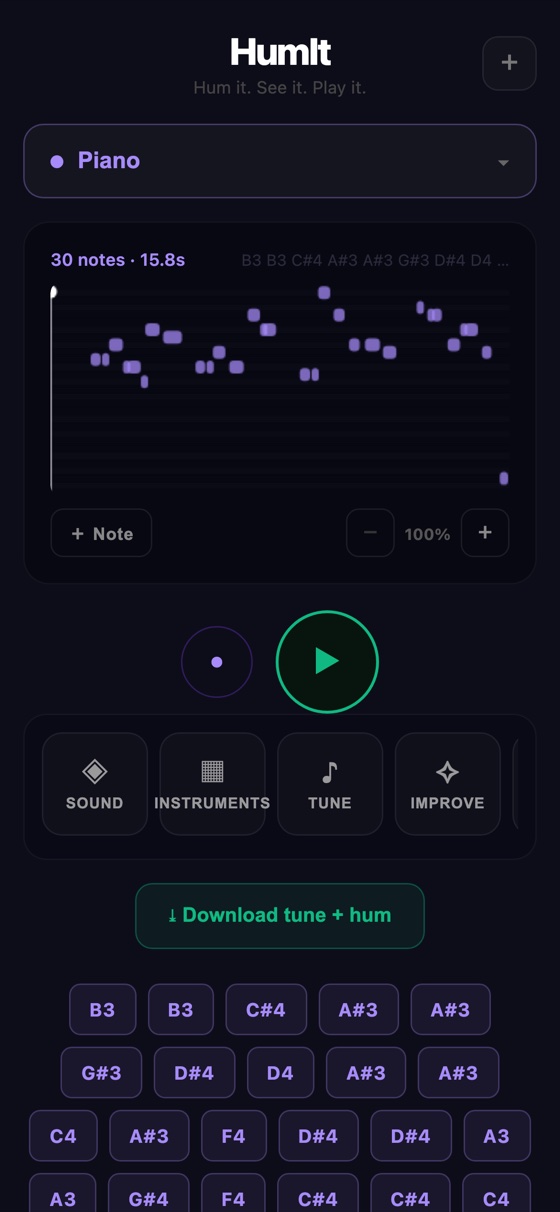
One long page
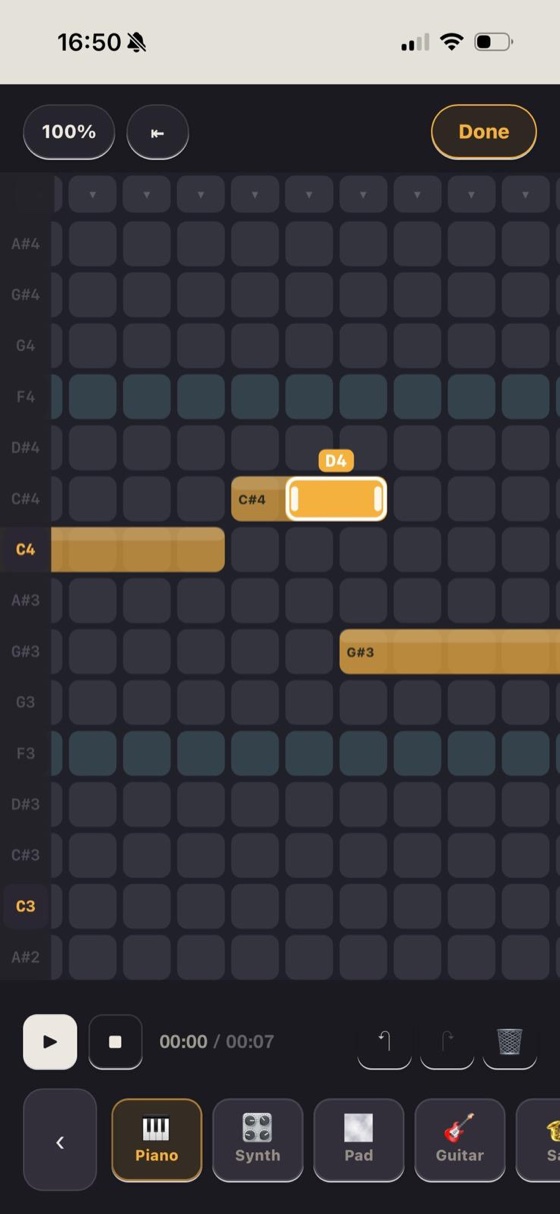
The first version found your notes and not much else. You picked a sound, hummed, and got a small piano roll with a button for every note it heard.
Everything sat on one long page, one control under the next. The challenge was turning a pitch detector into something you could make a song with.
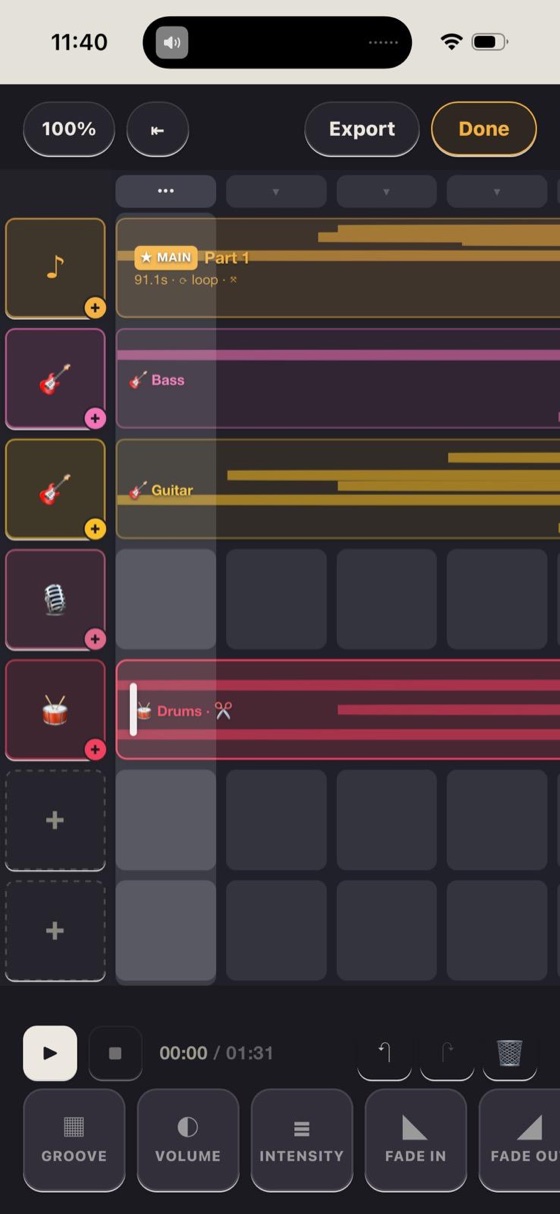
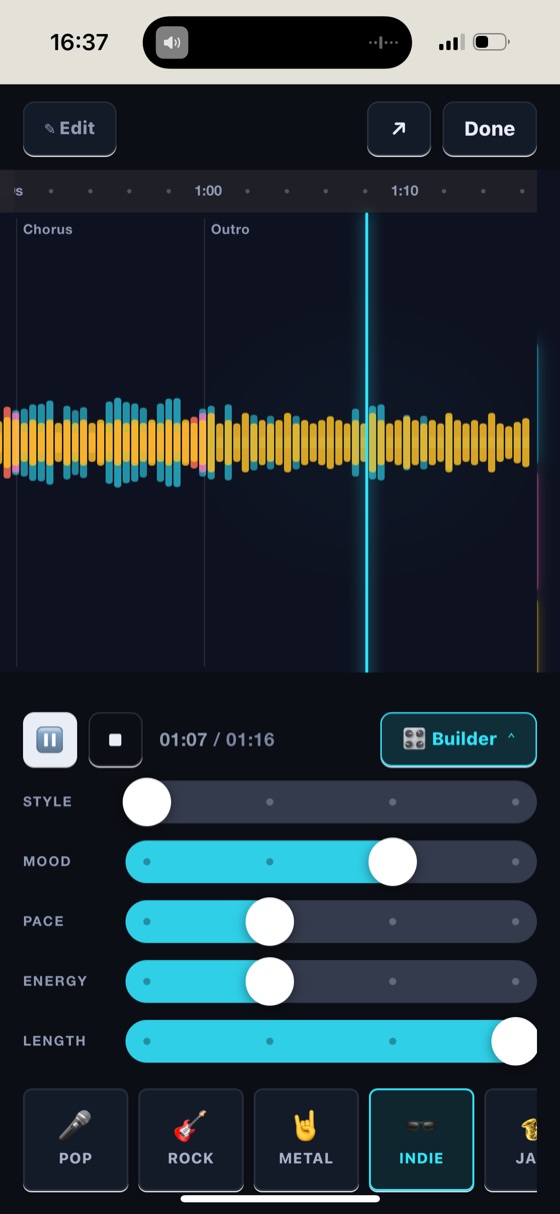
From a tune to a song
Then came a song timeline, backing tracks, beatboxed drums and a first composer. The tools moved into a row of tiles along the bottom, like a video editing app.
It still looked like a debug tool, with emoji for icons and a slider for everything. First I needed to know a hum could come out sounding like music.
Making a hum readable
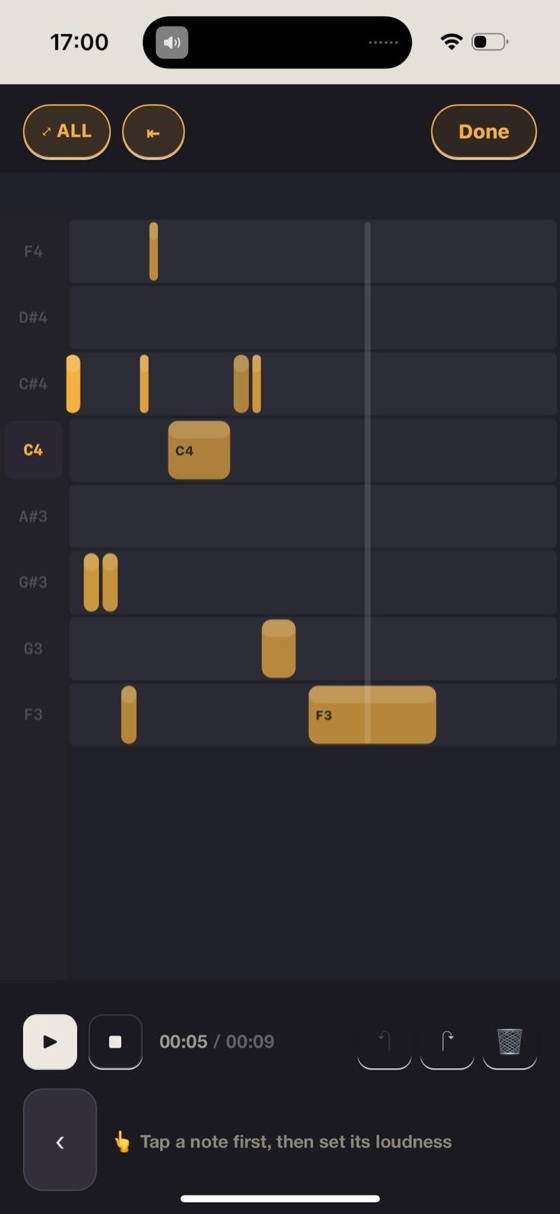
A raw hum came out as thin slivers, wobbles and all. Testing with Happy Birthday showed the notes were right, but repeated notes like “Hap-py” ran together.
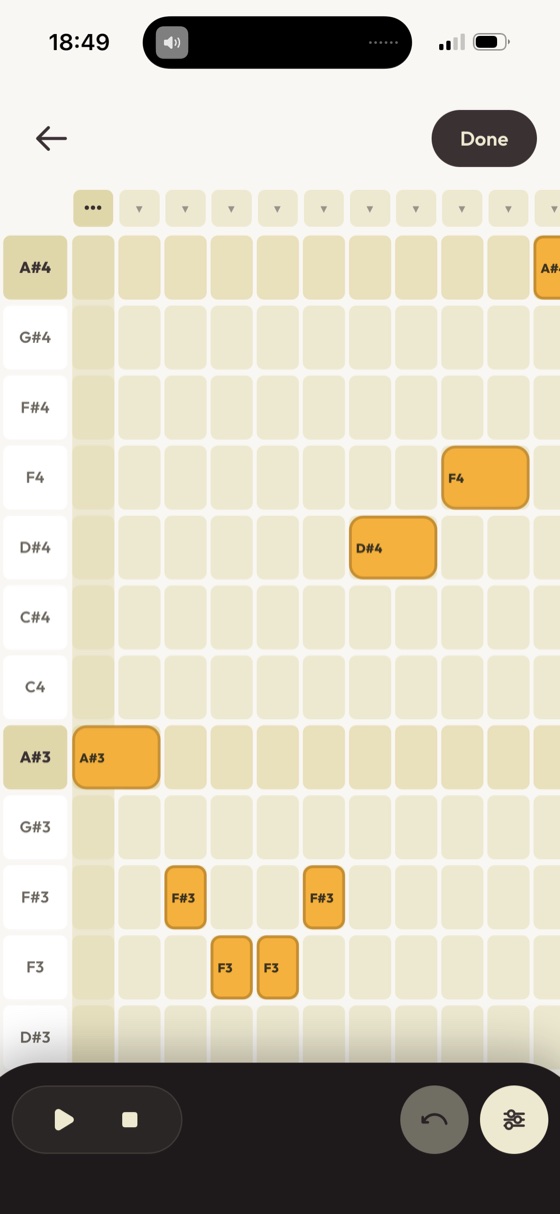
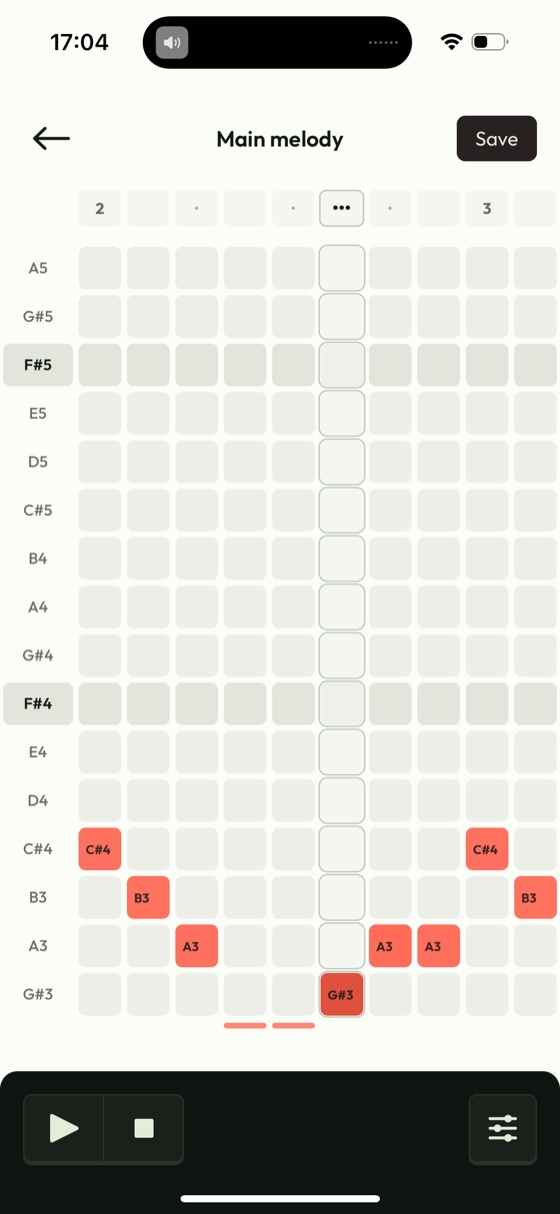
Once the detector could hear those, notes became blocks on a grid you can drag. The grid shows your melody tidied, the way you'll hear it.
From a hum to a song
Your hum, finished
The composer works from musical rules, not AI. It reads your tempo and key, writes the verses, choruses and ending, and picks a band that suits the genre.
Your part never changes key, and every instrument is a real, openly licensed recording. Saved songs never change on their own, even when the app updates.
Finding the look
Finding the vibe
This was less about a palette and more about the app's whole vibe, the UI as much as the colours. It moved from dark studio screens to something lighter and softer.
One look lasted less than a day. It was great in mockups but too grey on empty screens, so now I judge every look on an empty screen first.
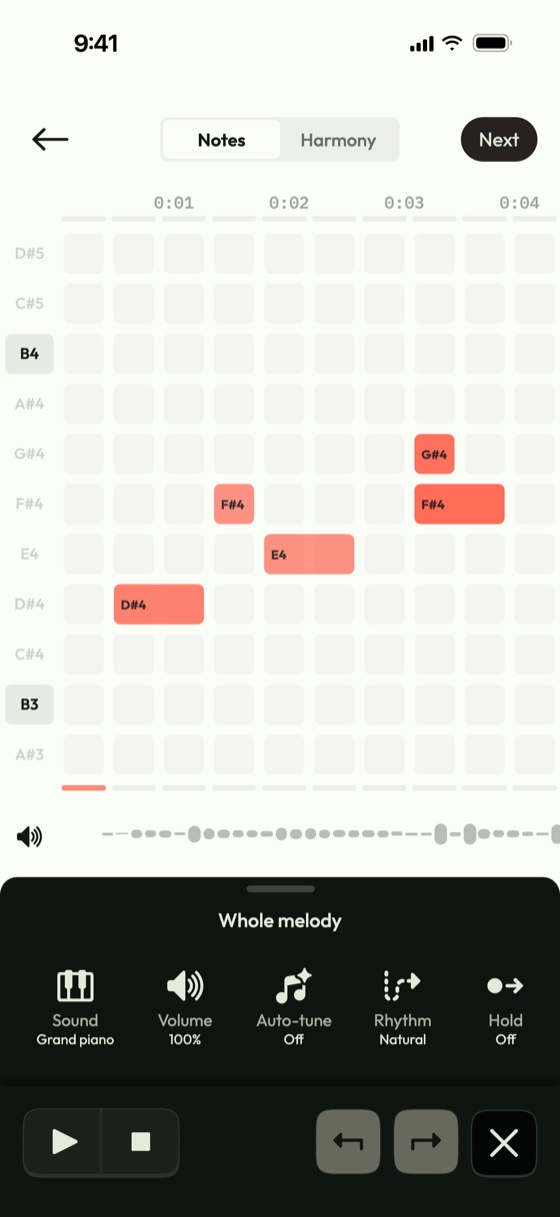
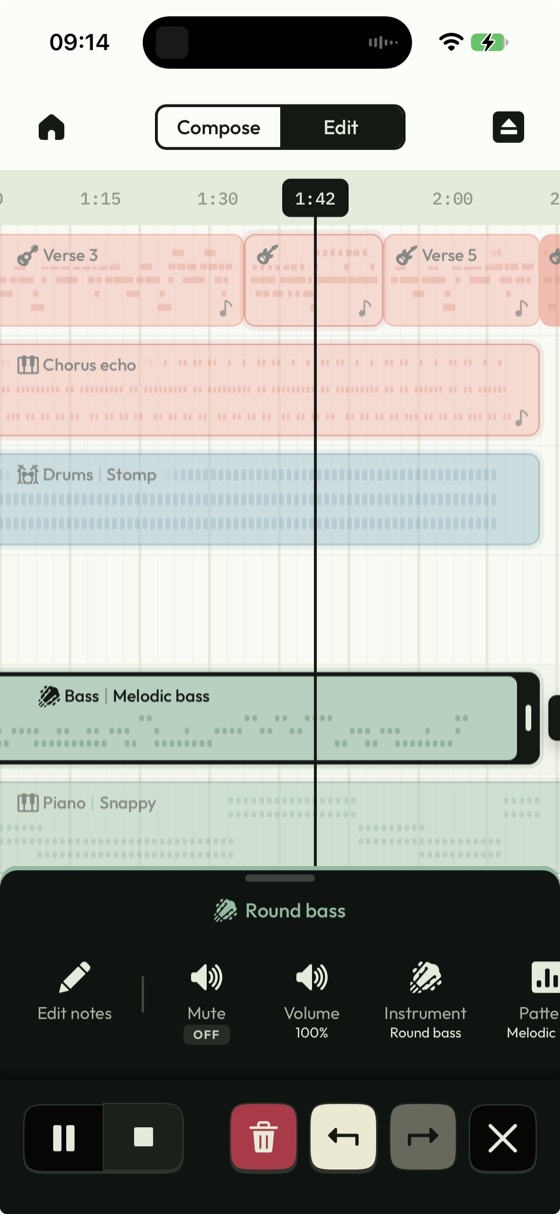
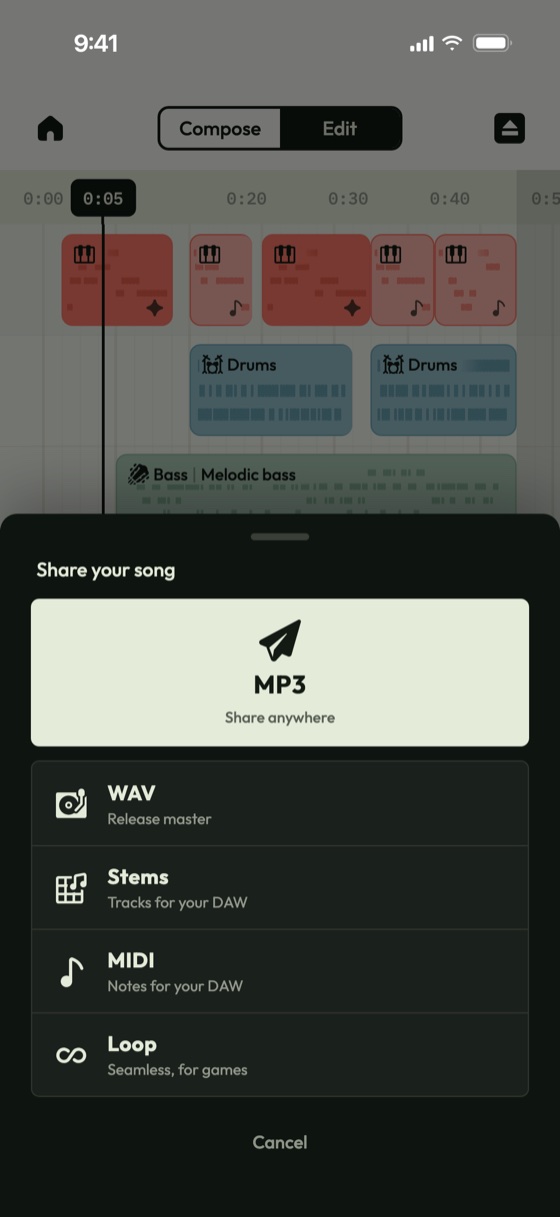
Simple, and clear what's selected
I wanted settings to be easy to change without thinking too much. Every tile shows what it's set to, and the open menu makes it obvious how to change it.
Colour does the same job. The melody is always coral, backings green, beats blue, vocals gold and samples plum.
Motion
Drawing the wave
The compose screen draws your song as a wave. It took round after round of explorations, all drawn from real songs, to land on one ribbon per track.
Every movement comes from a note, and nothing moves before the music does. Shape carries the slow changes and light carries the fast ones.
The logo and the Studio
A chilled song draws a slimmer wave than a bold one. When the app opens, a pen draws the logo, shown here at a third of its speed.
The Studio plays your songs back to back, each with its own wave. All of it follows the Reduce Motion setting.
Interaction
The small rules
Sizes only change when you pinch, and screens never scroll by themselves. The note grids always settle on whole rows.
Every press gives one haptic tap, and Record taps just before the microphone opens. Only one menu is ever open.
Designing onboarding
Onboarding simplifies the app down to its basic ideas and gets you set up fast, before you're dropped into the main app. It takes a slightly different approach, one step per screen with a character alongside you.
The character couldn't feel like an AI chatbot, because Humelodica is fundamentally an anti-AI music app. It started as a sound wave, but that looked like Siri, so it became a soft blob.
How I worked with AI
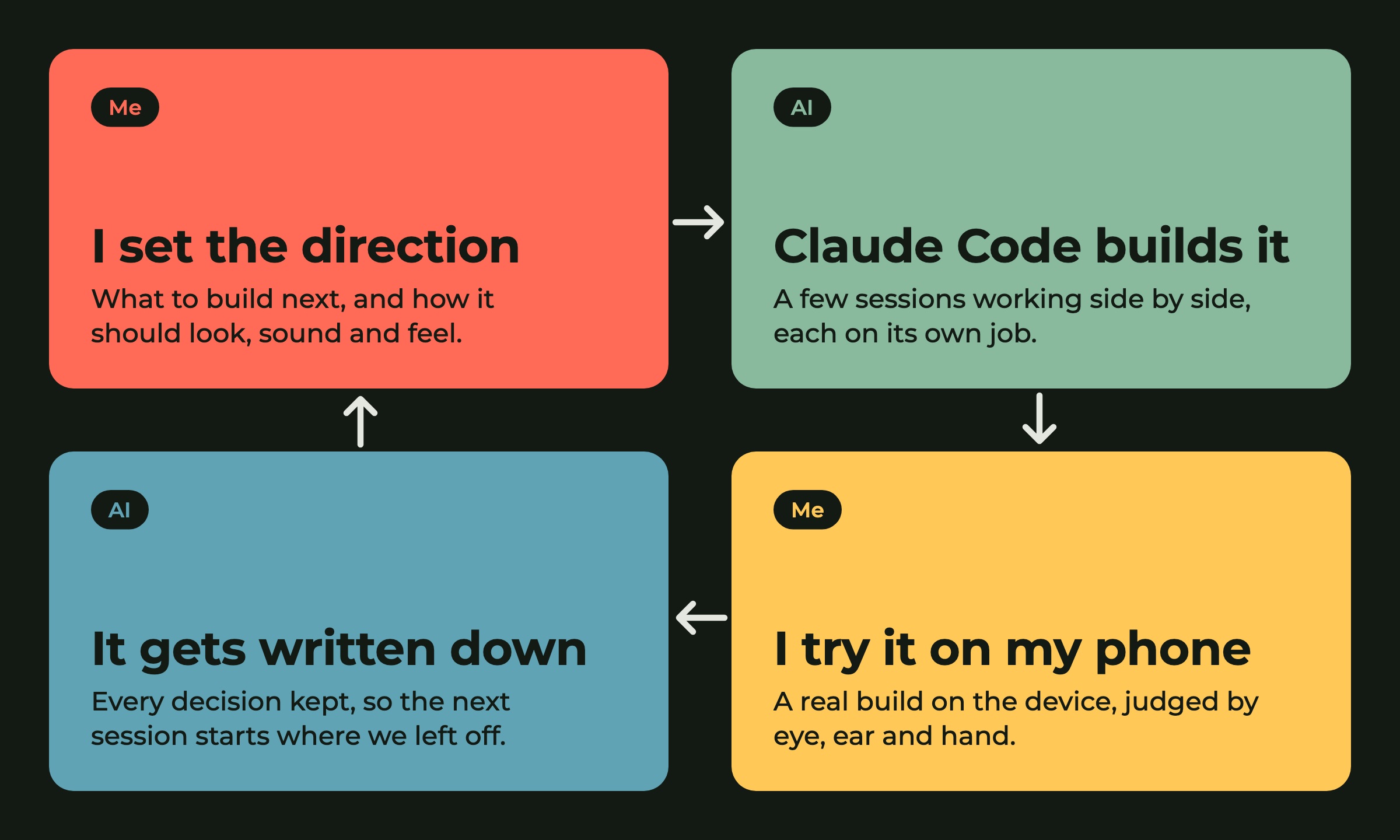
A small studio of AI sessions
Claude Code wrote most of the code, with a few sessions working side by side, and every design call was mine. The AI only ever touched the code, never the music the app makes.
AI forgets between sessions, so every decision was written down for the next one to pick up.
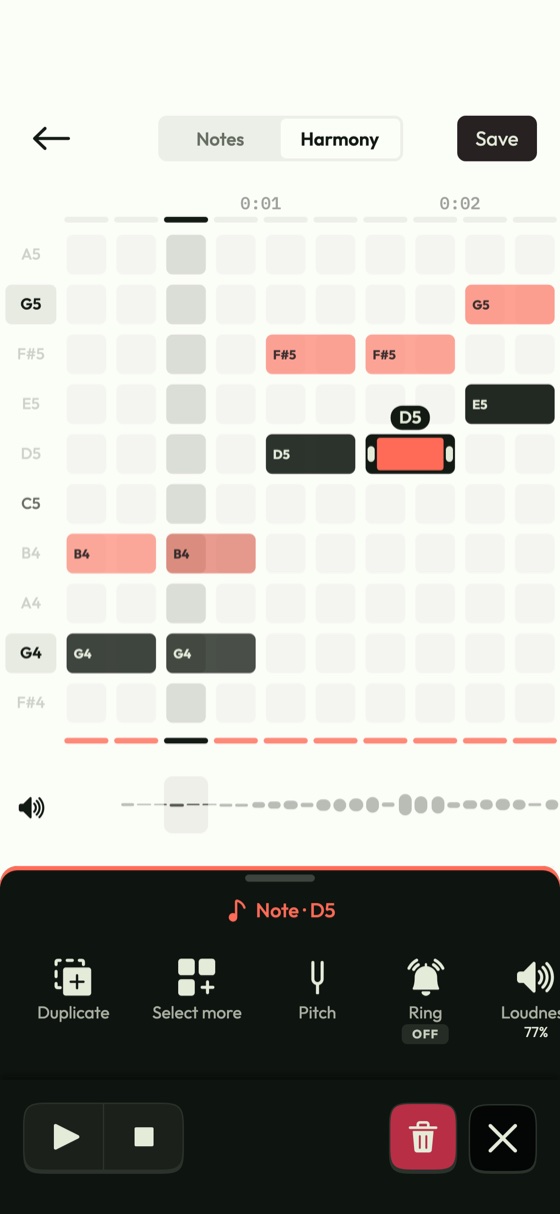
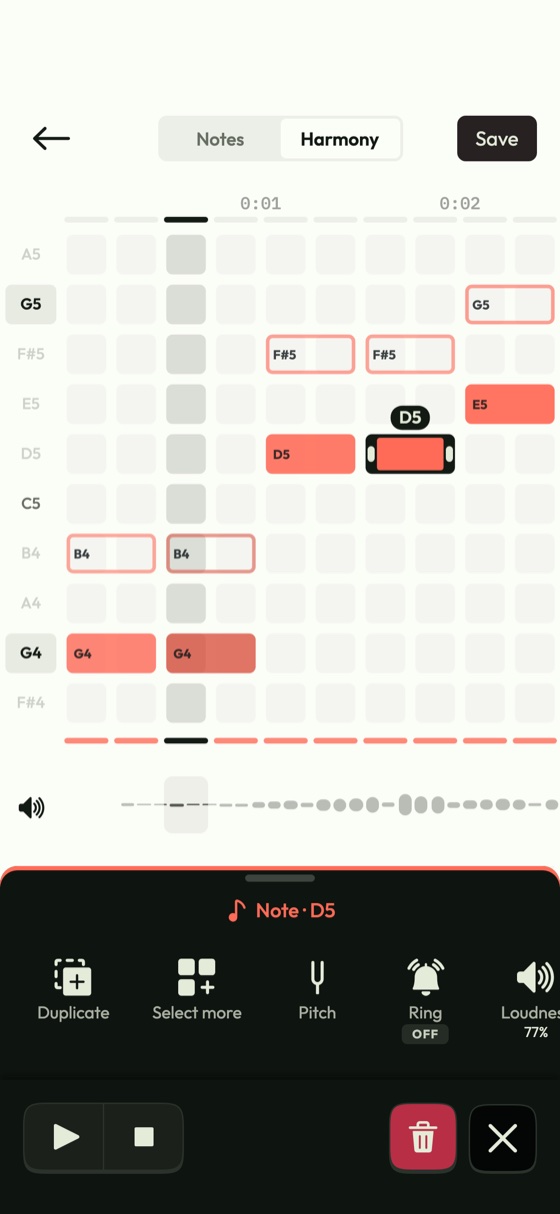
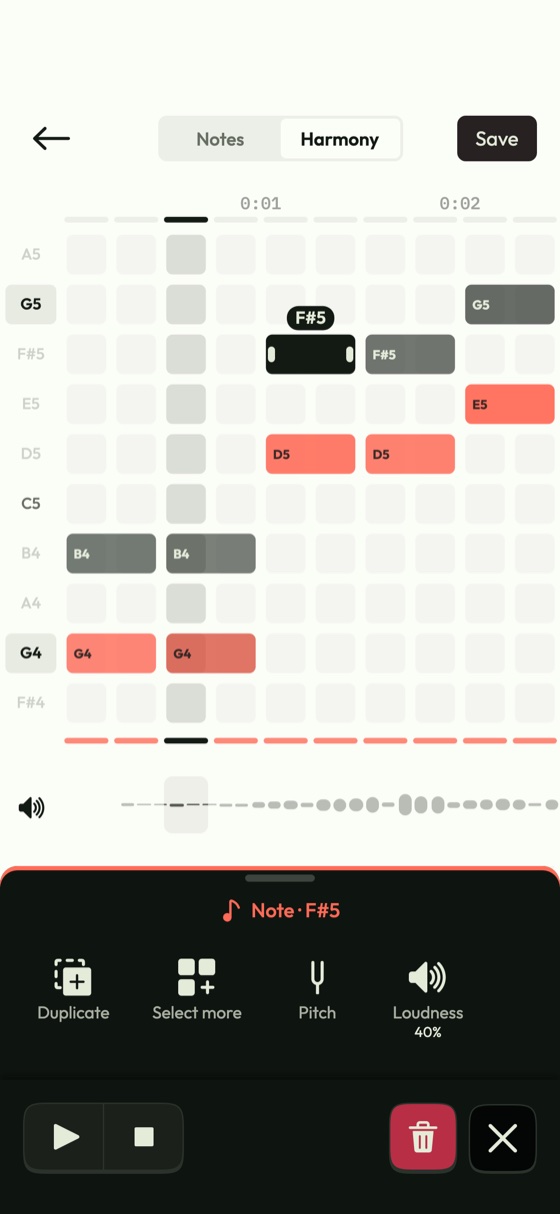
Judged on my phone
Every preview went onto my phone as a real build, 128 of them. Design questions came as pictures from the real app, like these ways to tell my tune from the harmony.
The one on the right shipped, with the harmony in ink. Sound changes came as before and after pairs, measured after the export evens out the volume.
497
automated tests that use the app the way a person would, run before every release
Automated tests for every change
Every change came with automated tests that tap, hum and play through the app like a person would. Before a release, they all run in two browsers.
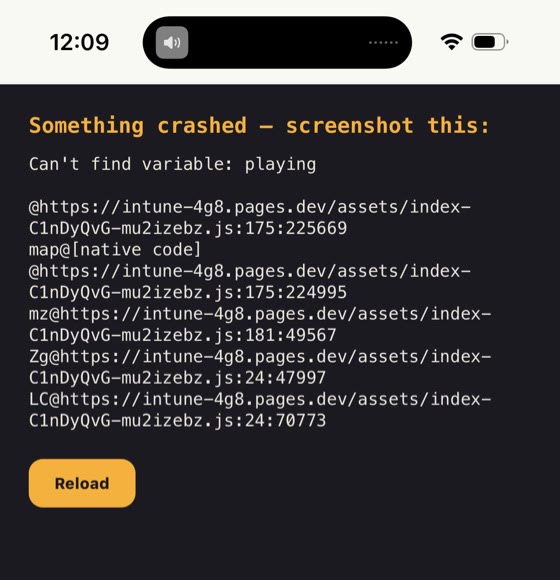
Early on, two crashes like this one still reached my phone. Now each test has to prove it can catch a break in the code before I trust it.
When it went wrong
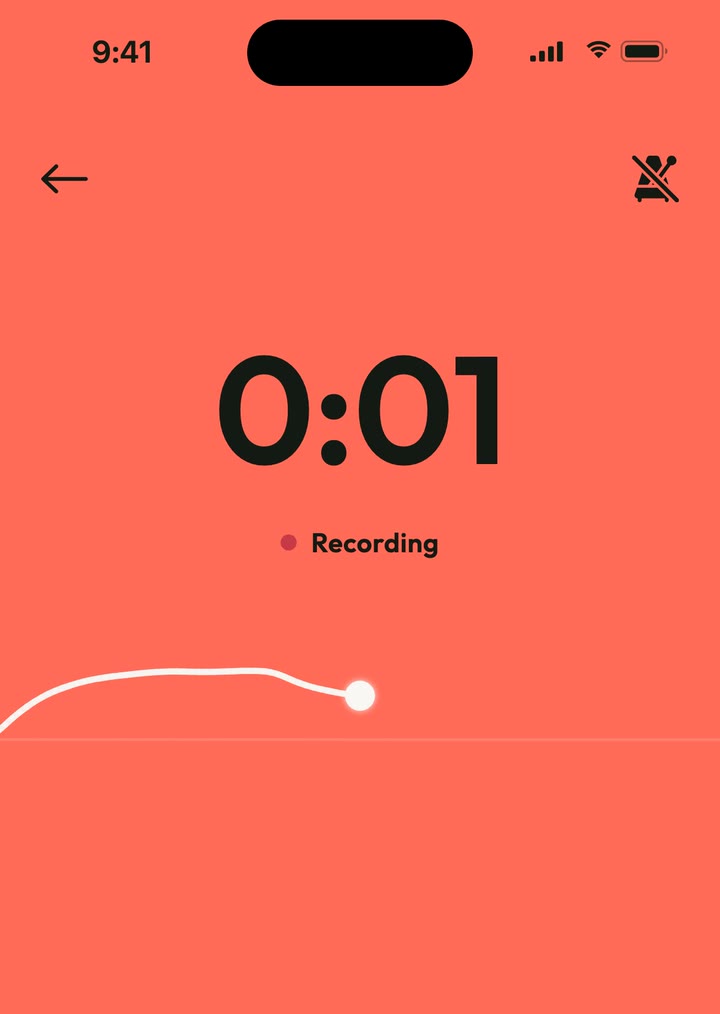
My hum went missing
Safari deleted a recording when it was saved back from the copy that had been loaded. Now every save writes a fresh copy.
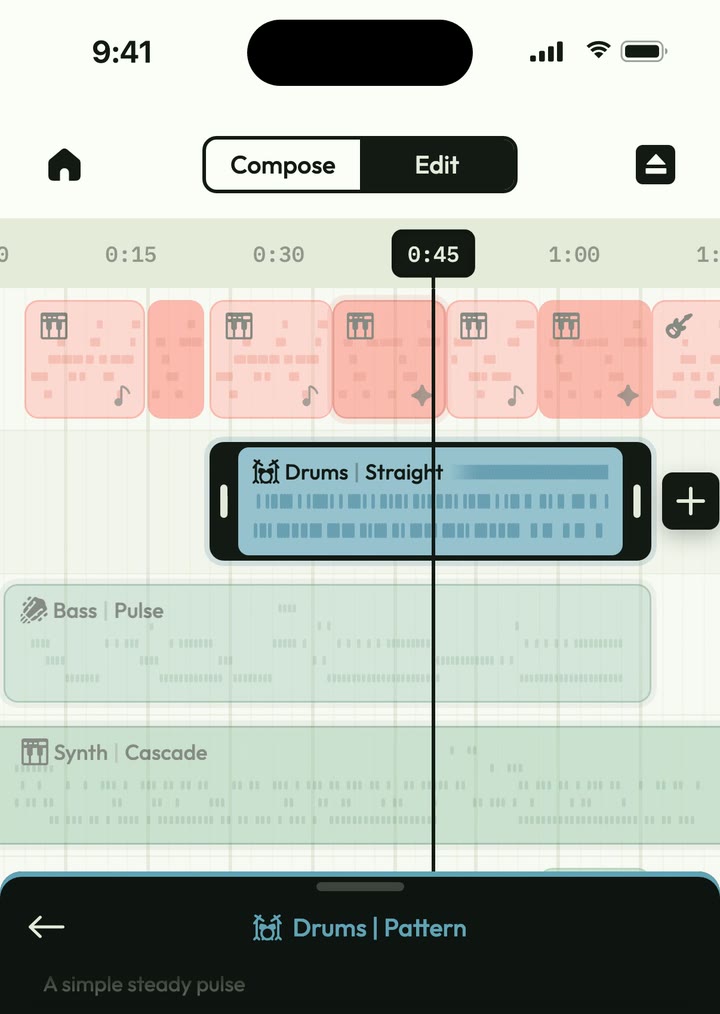
My phone was playing stand-ins
For twelve rounds of drum work my phone played synth stand-ins, not the real kit. Now sound is judged on the device.
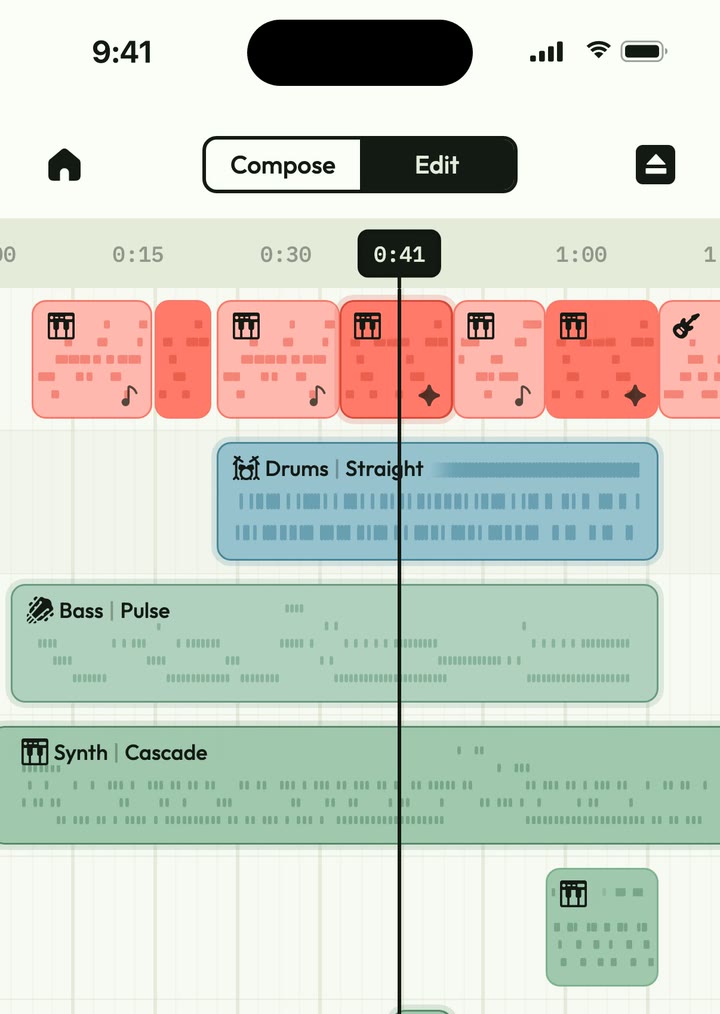
A crackle only heard live
Busy songs crackled live but never in an export. The audio library was unplugging parts it thought had gone quiet.
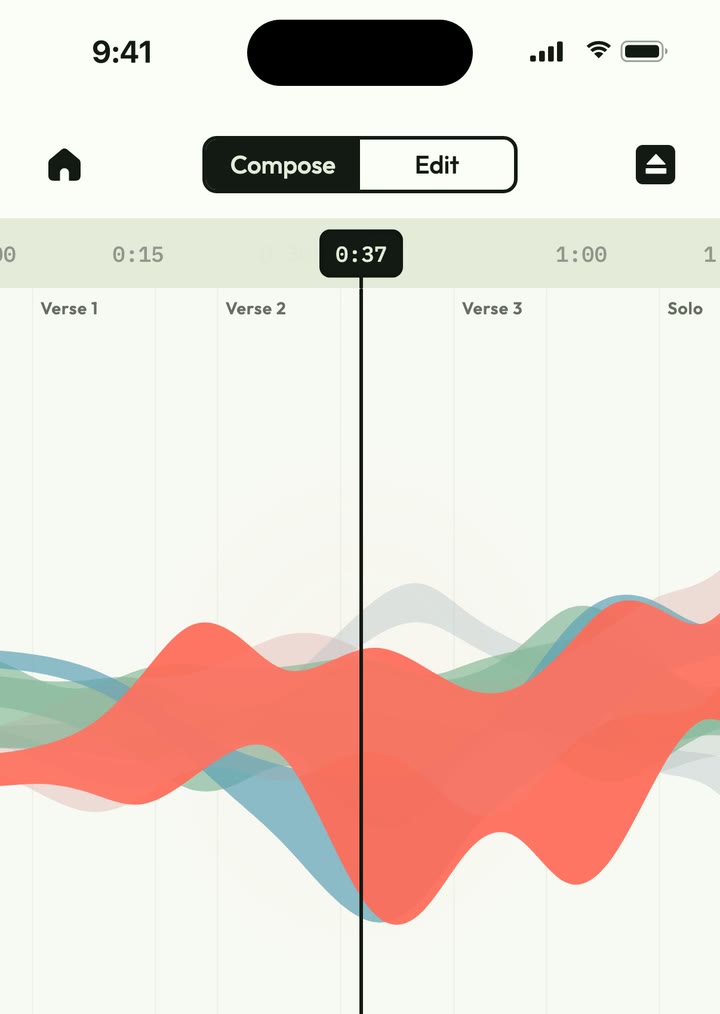
A code comment showed up on screen
A note in the code was printed across the composer while every check passed. Now every comment is searched for before a build ships.
Things that broke
The hardest problems weren't design problems. They only showed up on a real device, with real data.
Each one became a rule, so it couldn't happen again.
Telling the story
Filmed from the real app
The launch film and reels are recorded from the real app and edited in code with Remotion. Every cut lands on a note.
Each reel is aimed at a different group and has its own App Store link, so I can see which ones lead to downloads.
A campaign of reels
The launch campaign is a series of short reels, each showing off a different feature, from MIDI from your voice to full control of every track.
Every title ends on the same point, not AI. Making music without AI generation is what sets Humelodica apart, so every reel says it.
The website
The humelodica.app home page lets people hear what it does before they download it, one melody of mine in six genres.
Turn your sound on, press play and switch genres. The wave is drawn from the notes each band plays.
The results
1st
time approved by Apple, five months after the first hummed note
18
each with its own instruments and drum kits, all real recordings
3
versions live on the App Store in its first three days
What I learned
The bottleneck moved
AI meant one designer could build and ship a real iPhone app in five months. It was still hard, and every decision was still mine.
The slow part stopped being the code. It became knowing what good looks like, and testing and securing every release so the app was battle tested, not just vibe coded.
Write it down, with a date
AI forgets between sessions. A dated log stops old arguments coming back.
Judge it on the real device
Sound and touch only tell the truth on the phone in your hand.
Not just vibe coded
Automated tests on every change, and security built in.